Roles
UIX Designer, UI & UI Design, UX Research
Tools
Figma, Zeplin
Time Frame
July 2023- Present
Team
Yumeng Lu (UX Researcher)
Alex Chen(Software Developer)
Jin Gao (Product Lead)
Award
China Internet Plus Bronze Price
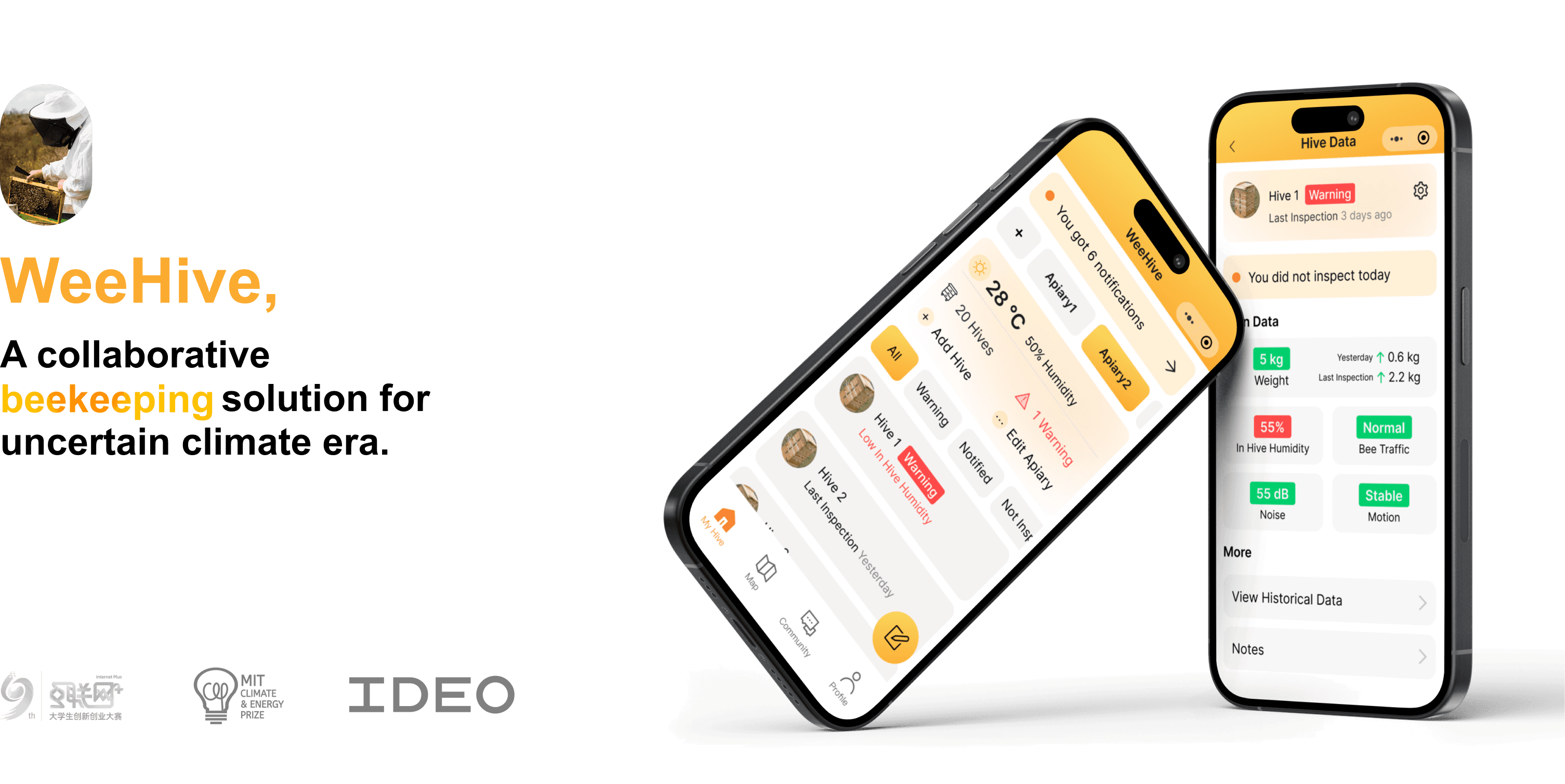
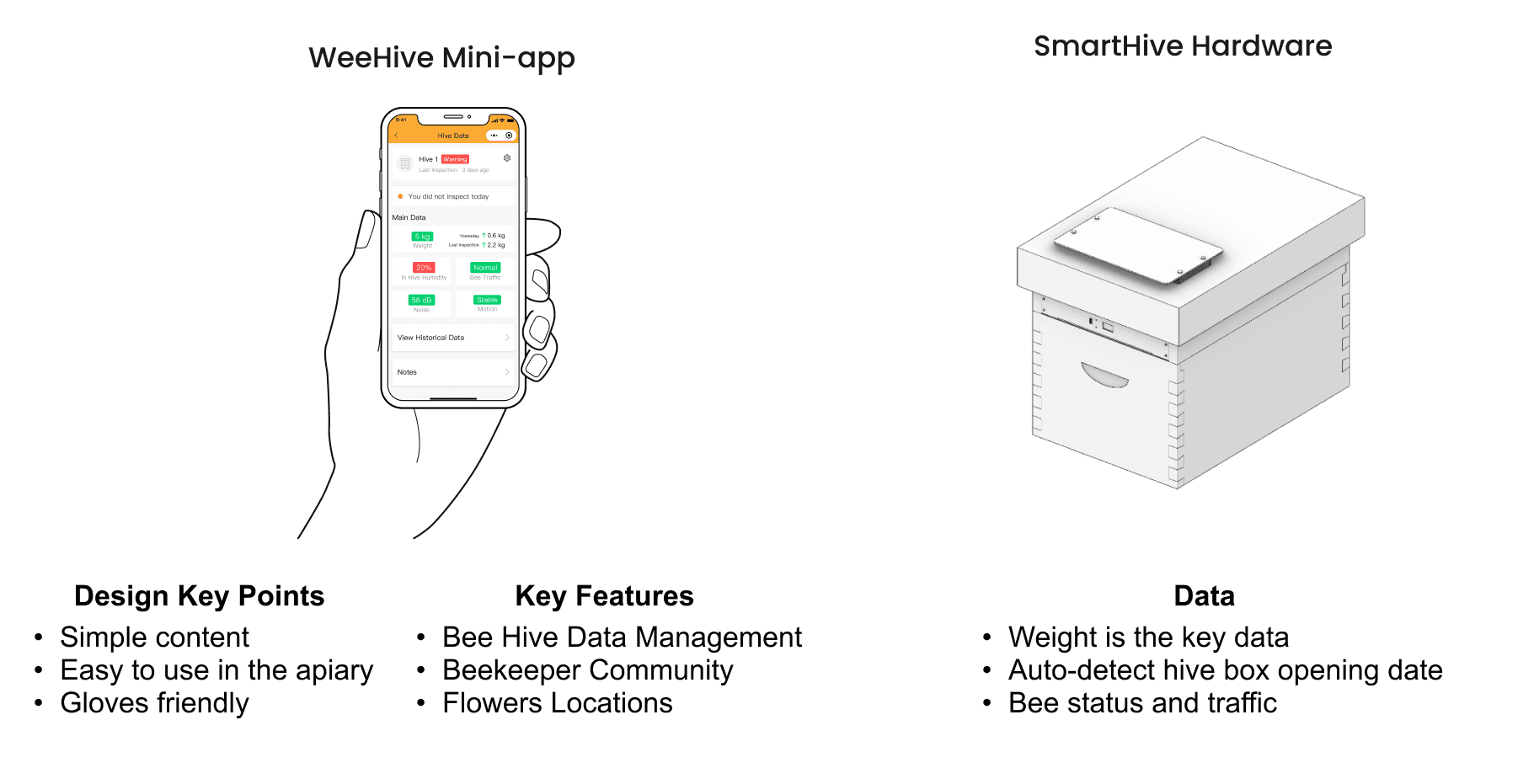
WeeHive is an innovative smart beekeeping platform designed to cater to the needs of beekeepers in China. The platform consists of a bee hive monitoring hardware system and a user-friendly WeChat mini-program that helps beekeepers monitor Bee hive data.
WeeHive won the 2023 China Internet Plus Competition Bronze Price, and the project is selected to be presented on IDEO and MIT Climate Energy Price Conference.
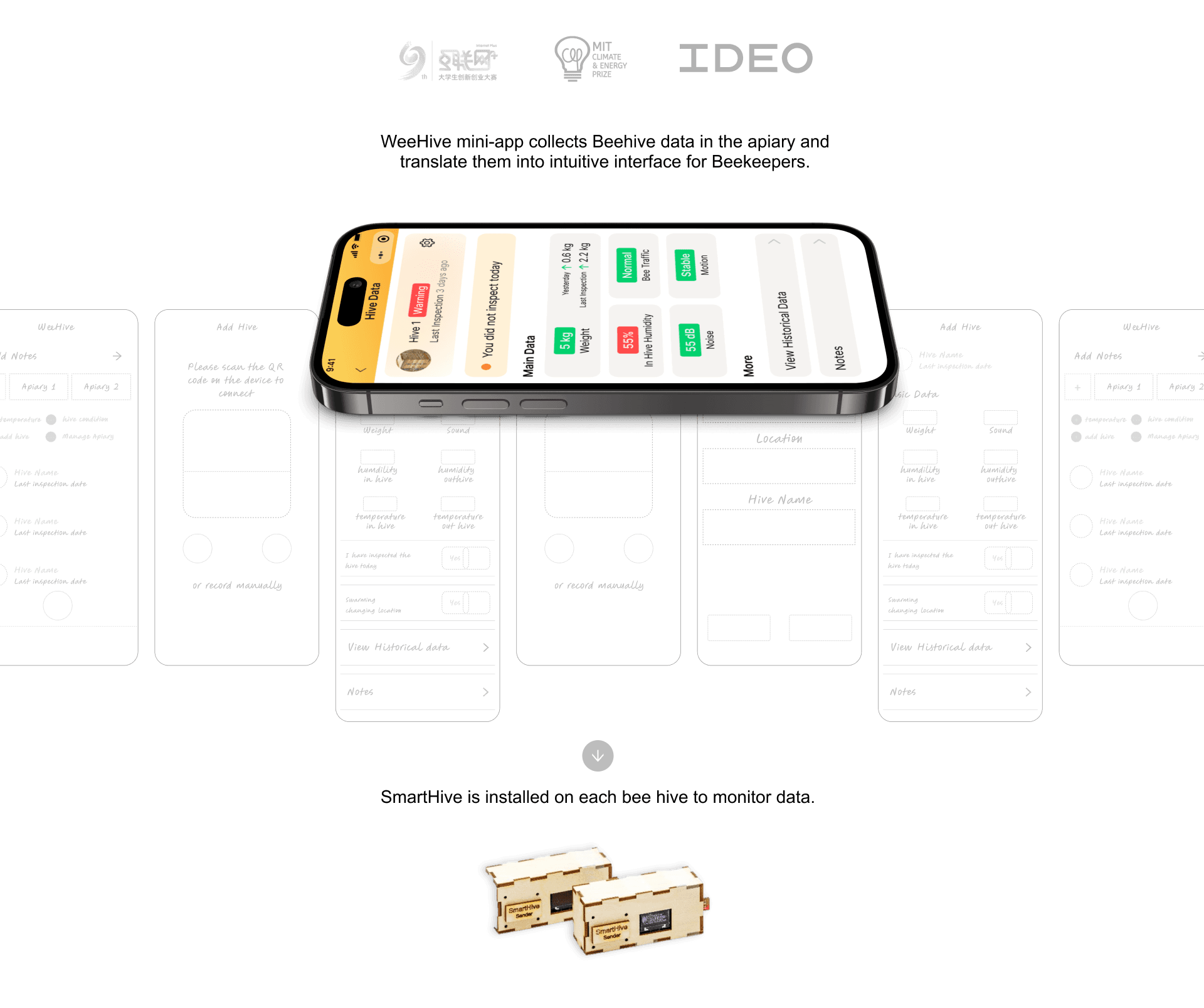
Final
Design
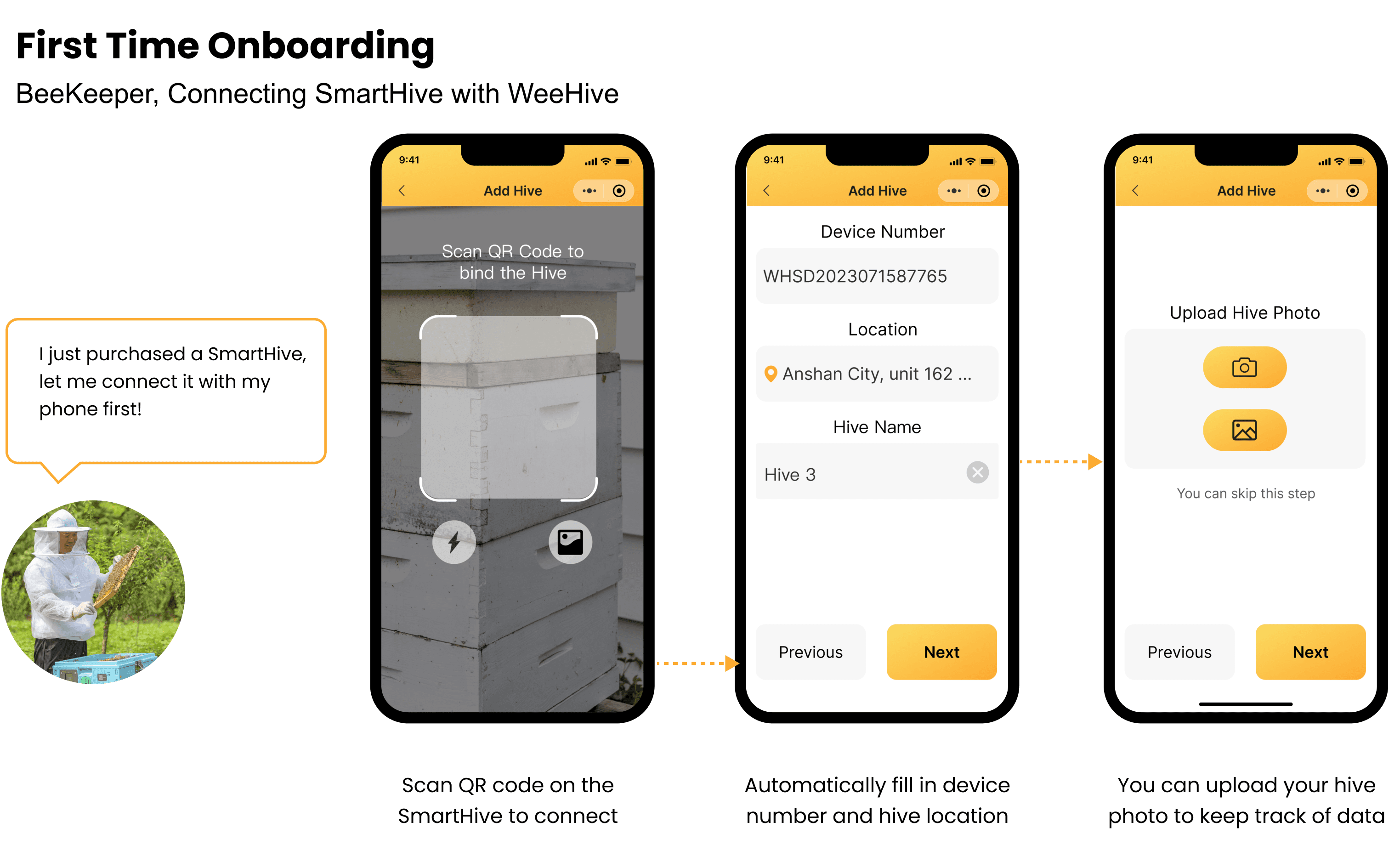
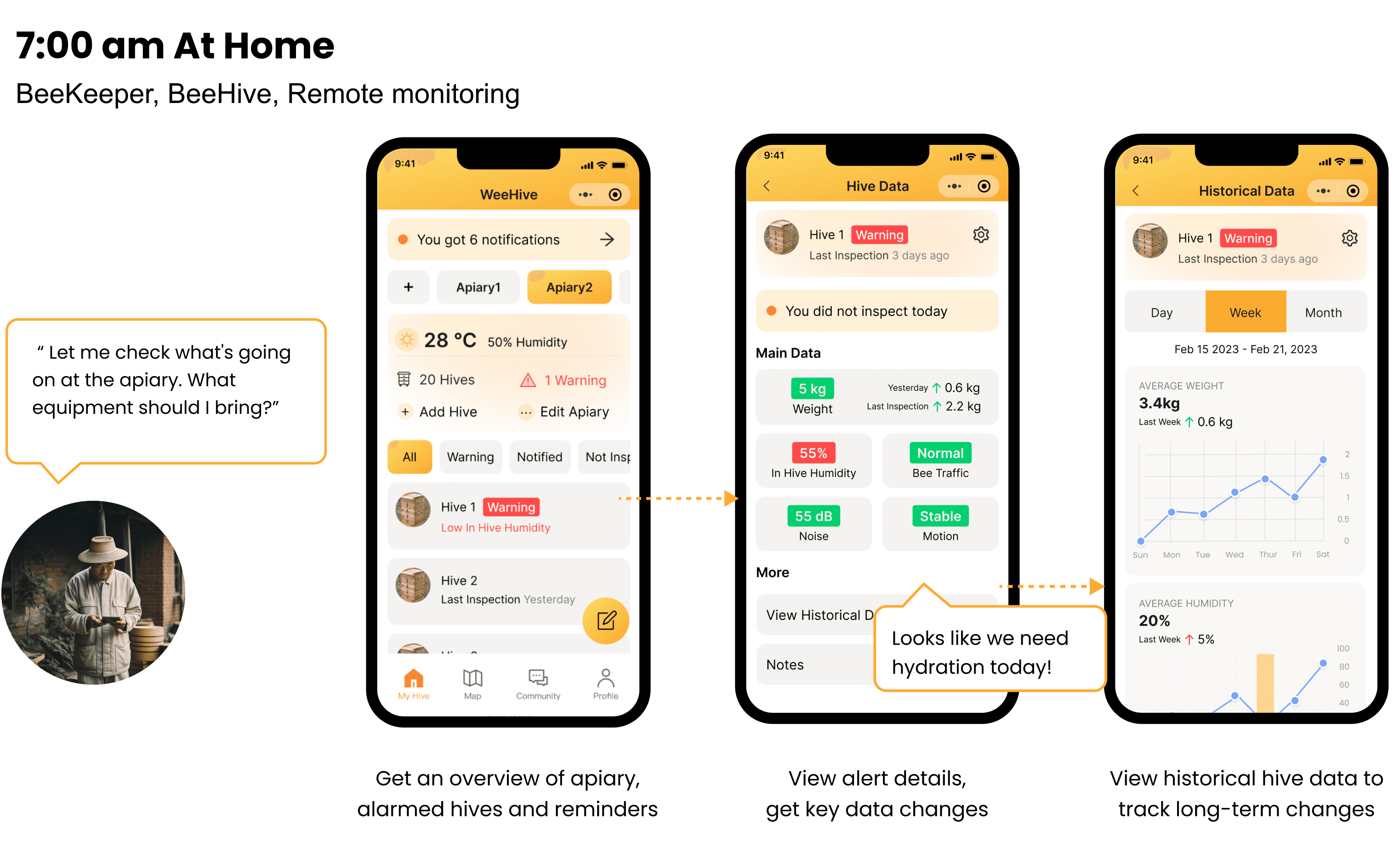
Product Usage Scenario
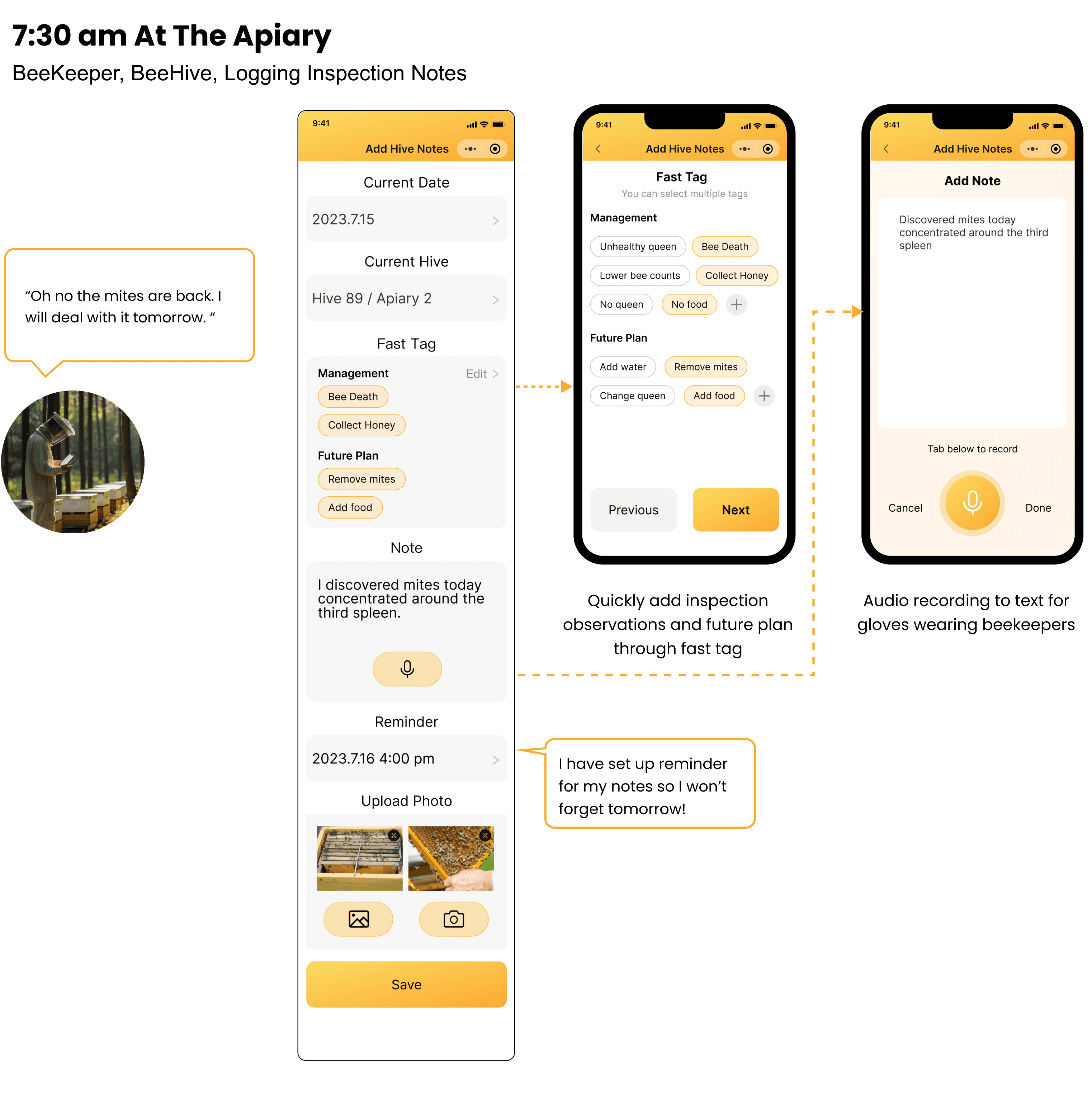
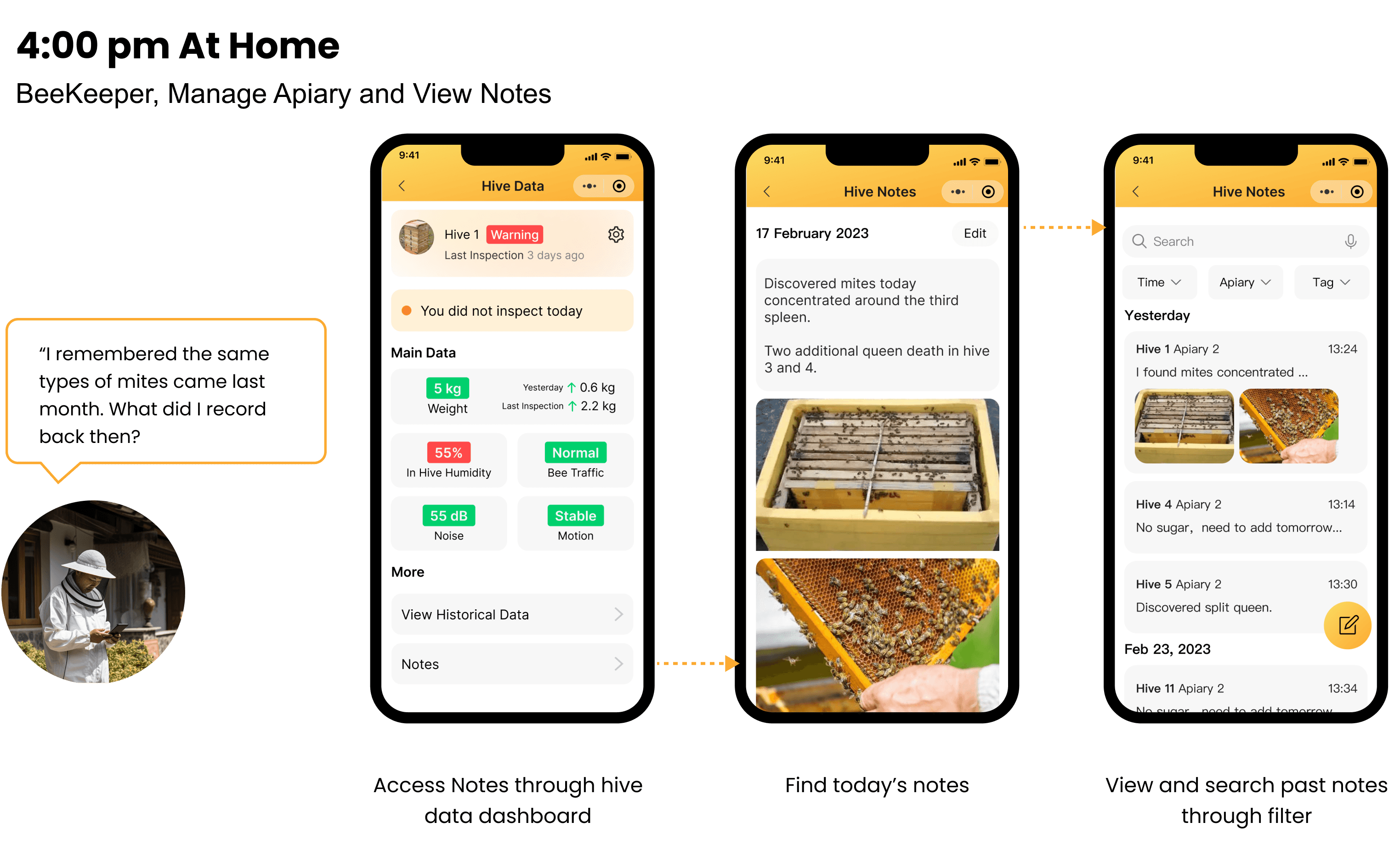
Design
Process

The User Challenge
For Beekeepers in China
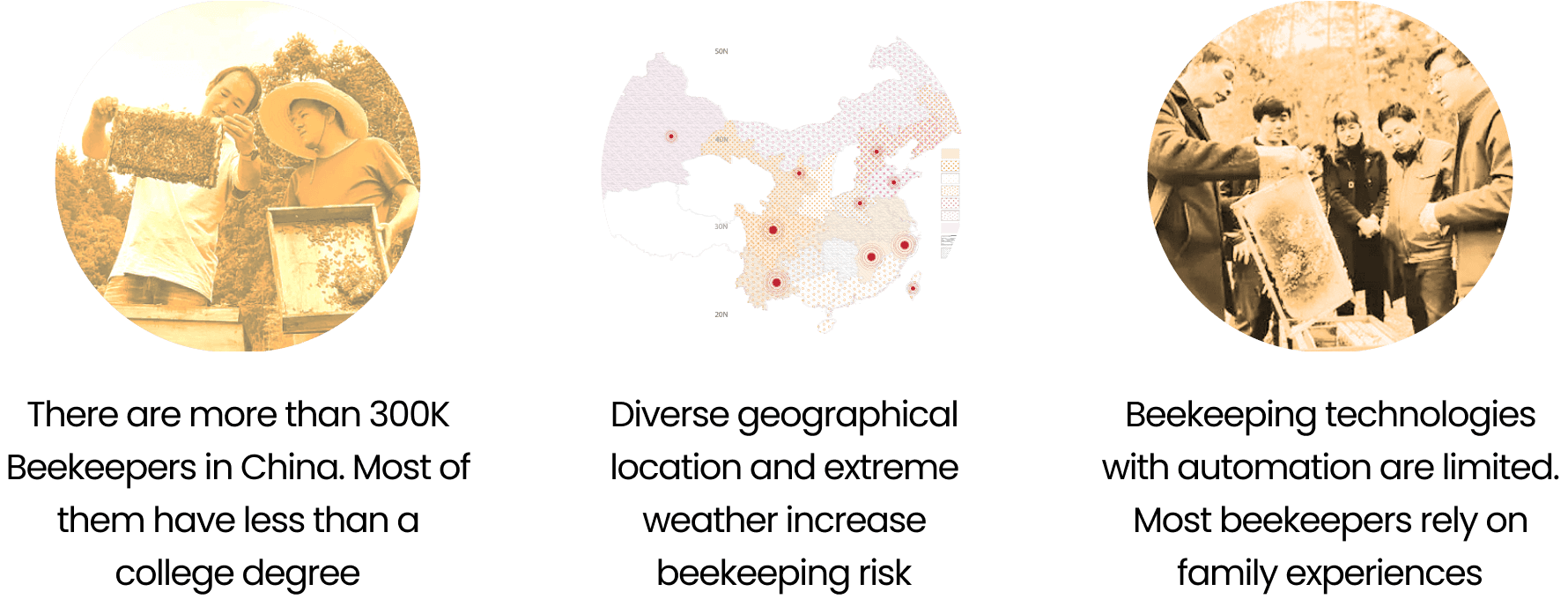
A Unique Problem Spaces
How to design a product that meets the needs of Chinese BeeKeepers in China's unique geographical and economical context?
Competitive
Analysis
For Beekeepers in China
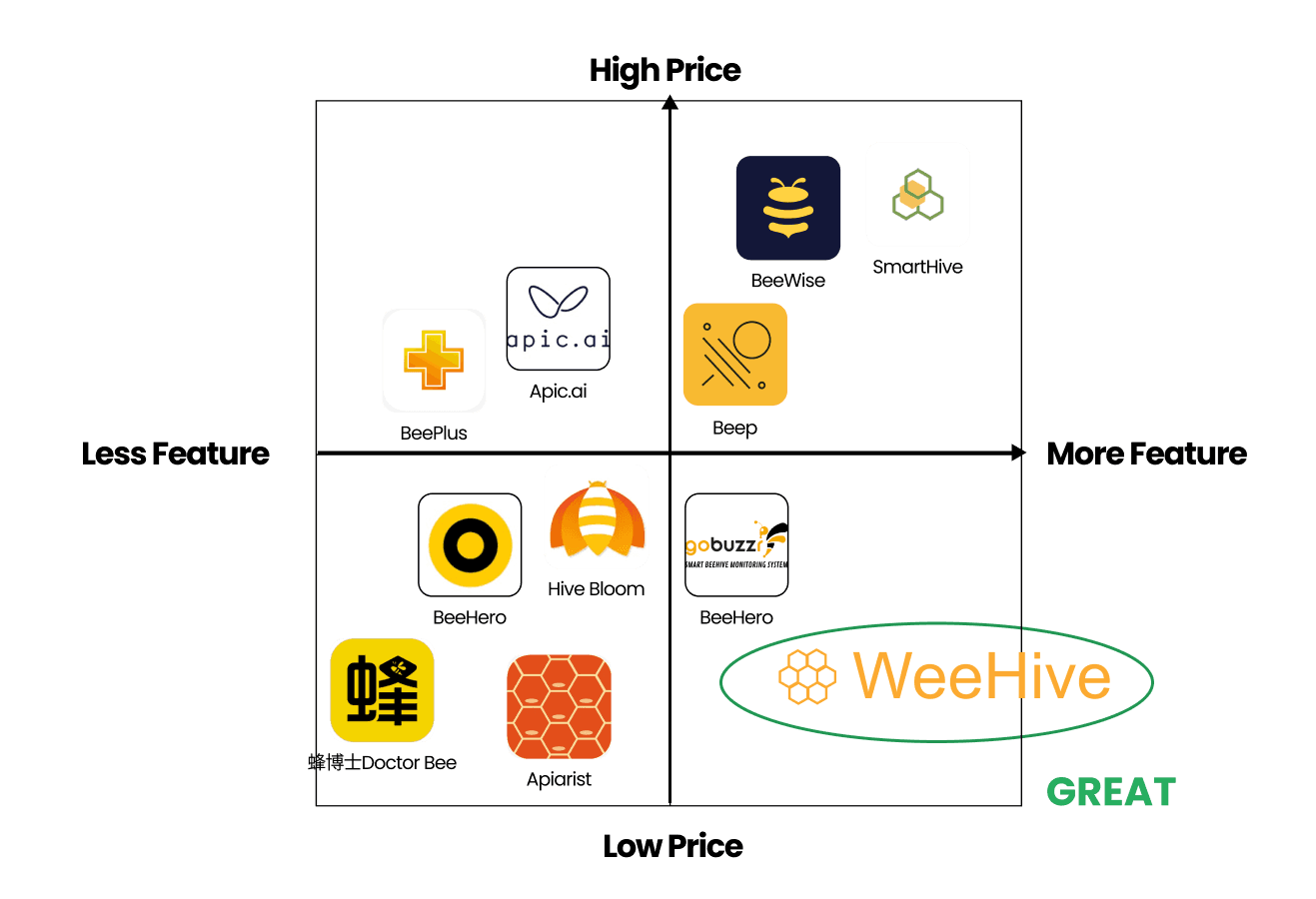
We analyzed 10+ BeeHive monitor apps. We found that most of them require users to manually input a large amount of information and download the app. However, Chinese users predominantly use WeChat as their mobile phone access portal.
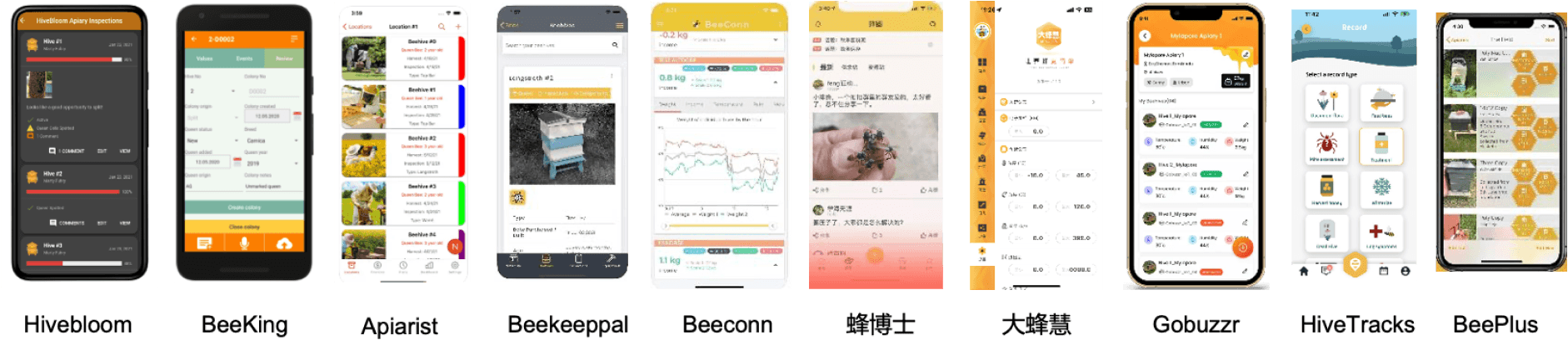
A Blue Ocean
Right now, there are no smart beehive products on the market that can solve the unique pain points of Chinese beekeepers at a low cost.
Beekeeper
Interviews
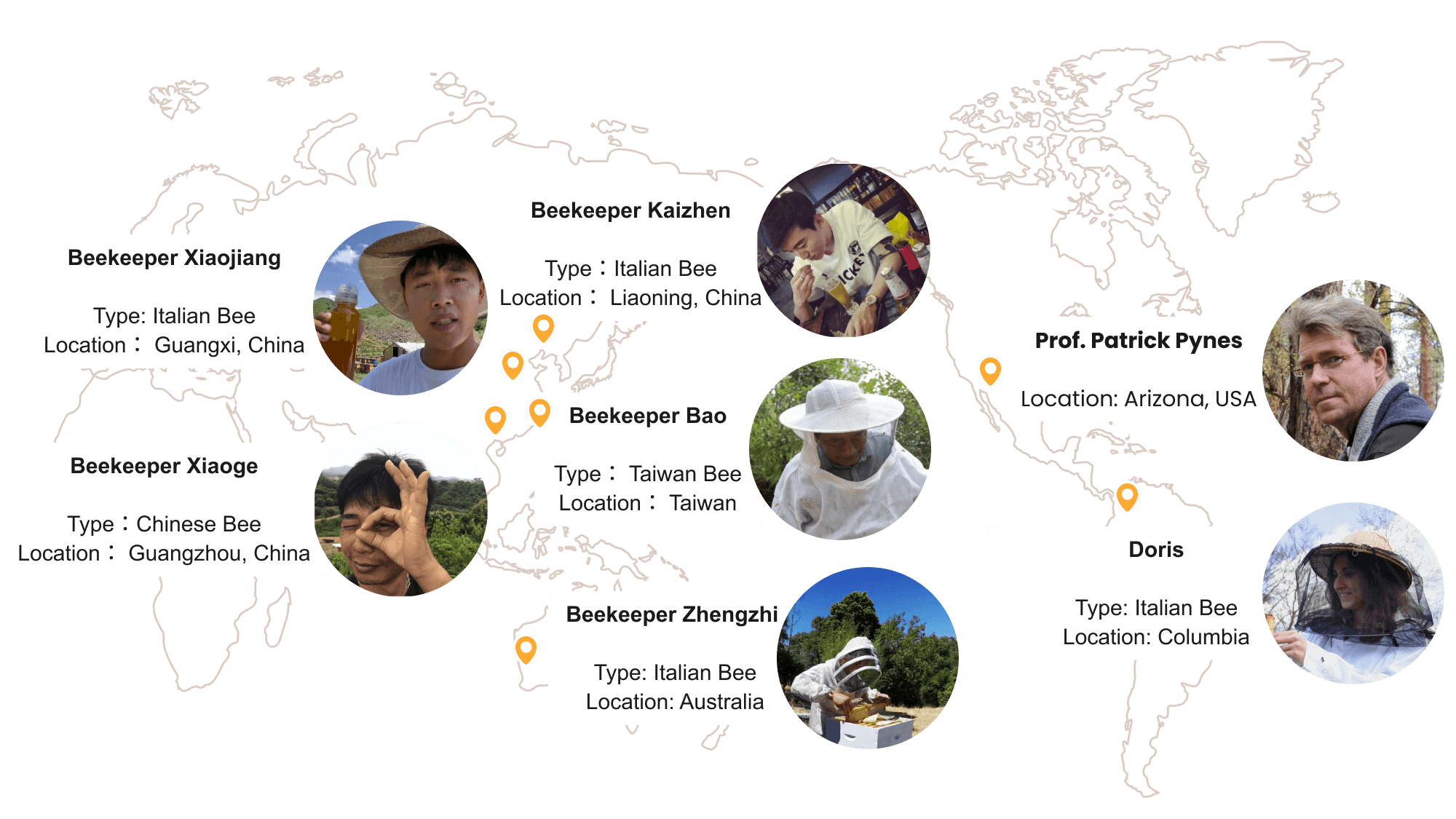
We interviewed 6 Beekeepers from different parts of the world and a professor who studies beekeeping. We want to ask:
1. what is the most important data for Chinese Beekeepers?
what insights does beekepers want to get from those datas?
how does insights inform beekeeping actions?
Beekeeper
Pain-points

Less Clicking, Gloves Friendly
“At the apiary, our hands are wearing gloves and covered in honey, so the easier to use the better. I really want to use smart apps one day."
—Xiaoge, Independent Beekeeper

Automation is The Key
“If the smart hive can eliminate the need for manual honey taking, perform automatic honey extraction, and automatically divide the bees, it would be ideal." —Zhengzhi Zhao, Independent Beekeeper
Precision and Differentiation By Hive
"The condition of each hive is different, and monitoring by smart hives is often too idealized. It is precisely the specific situation inside each hive that we farmers need to know and record." -Xiaojiang, Family Beekeeper
Product Guidance
From Interview Results
Design
Exploration
From Interview Results
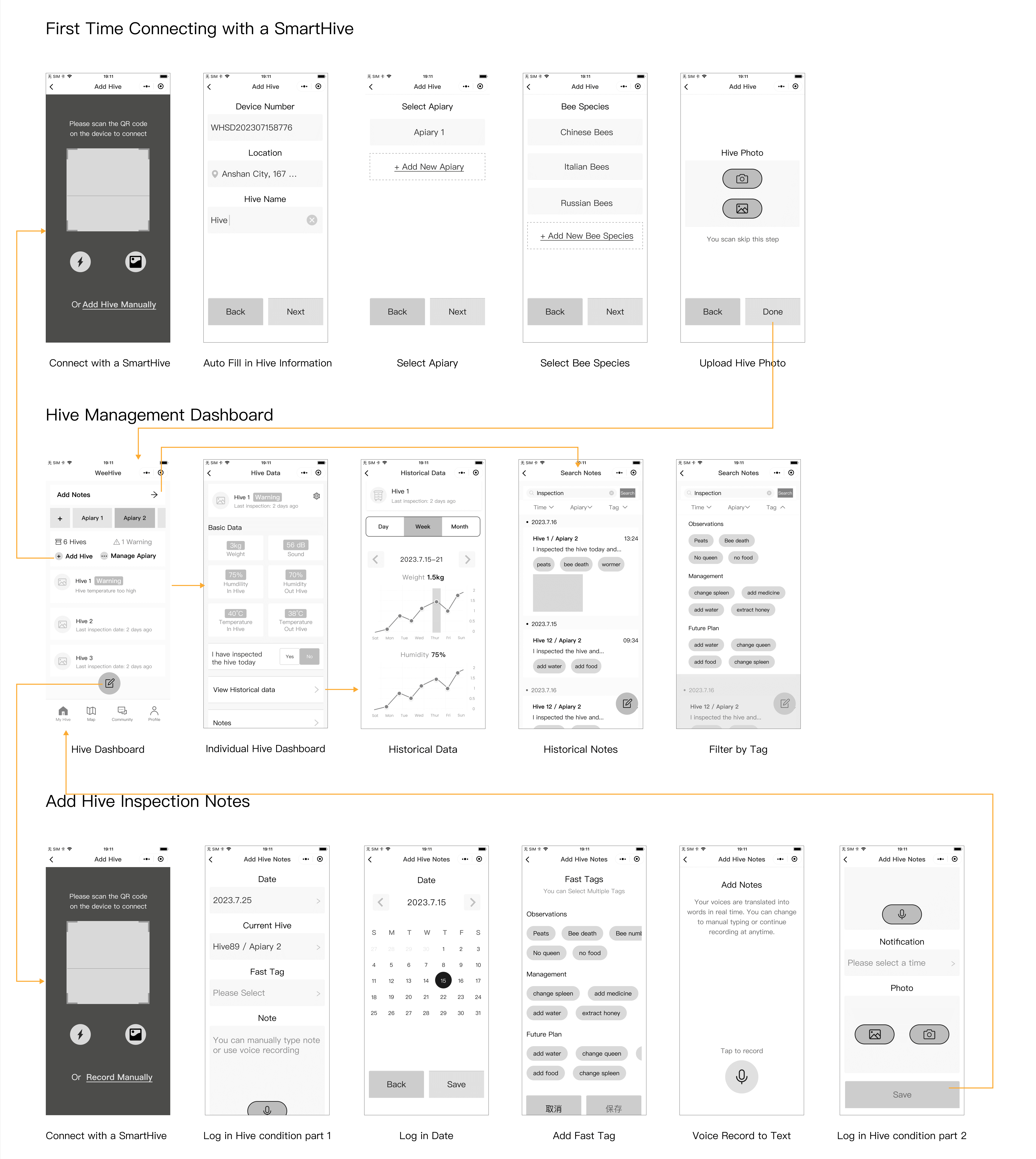
My main responsibility is to focus on the management dashboard, with relatively independent feature:
1. First time connecting with a SmartHive.
2. Hive management dashboard: hive data, historical data, notes.
3. Add Hive inspection notes.
Design Iterations
Based on User Testing
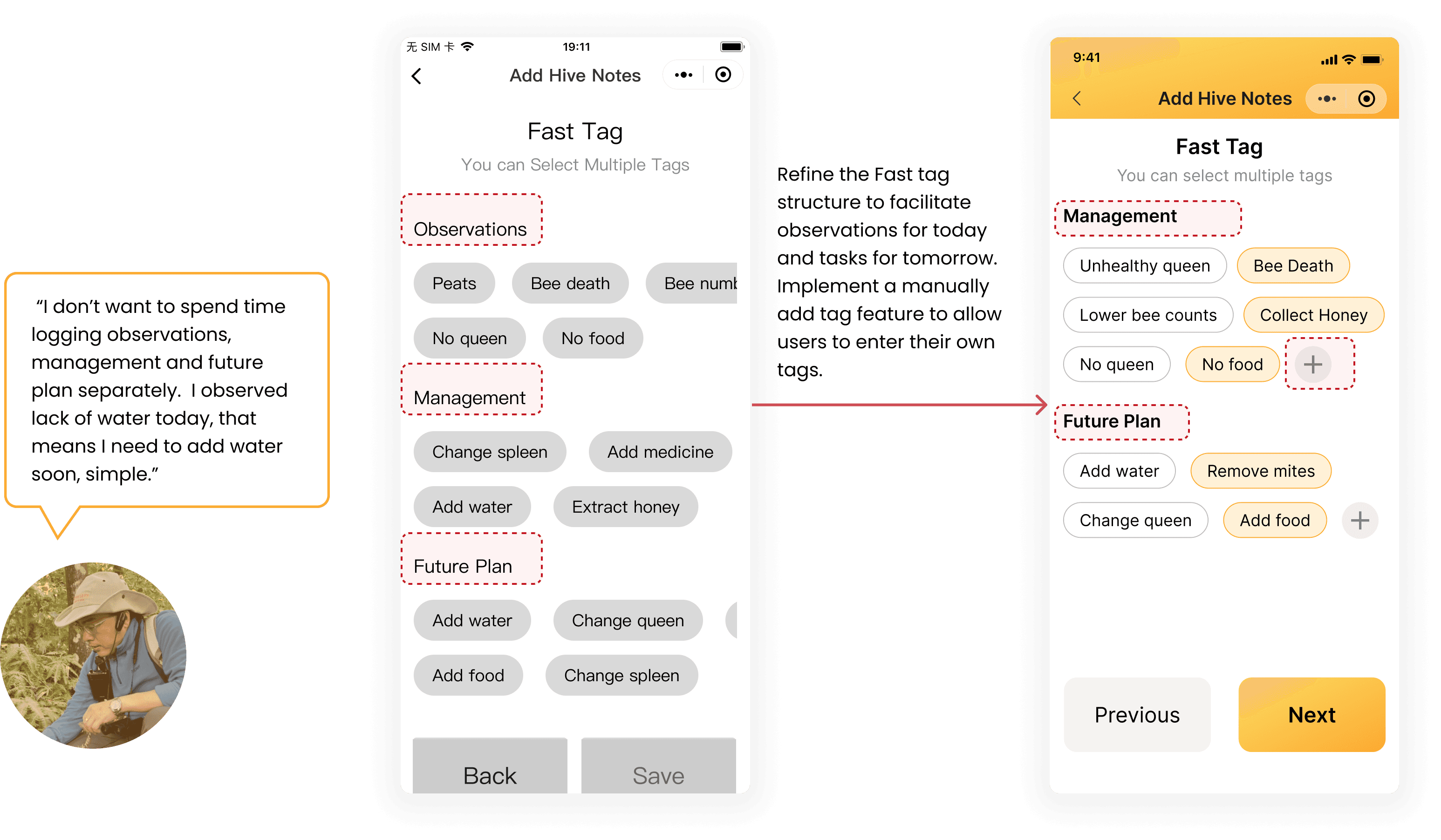
UX Content Improvement: fast tag structure
During user interviews, Beekeepers are confused about the differences between current observations and management, and the future plan within the fast tag feature. Thus I decided to combine these three sections into two.
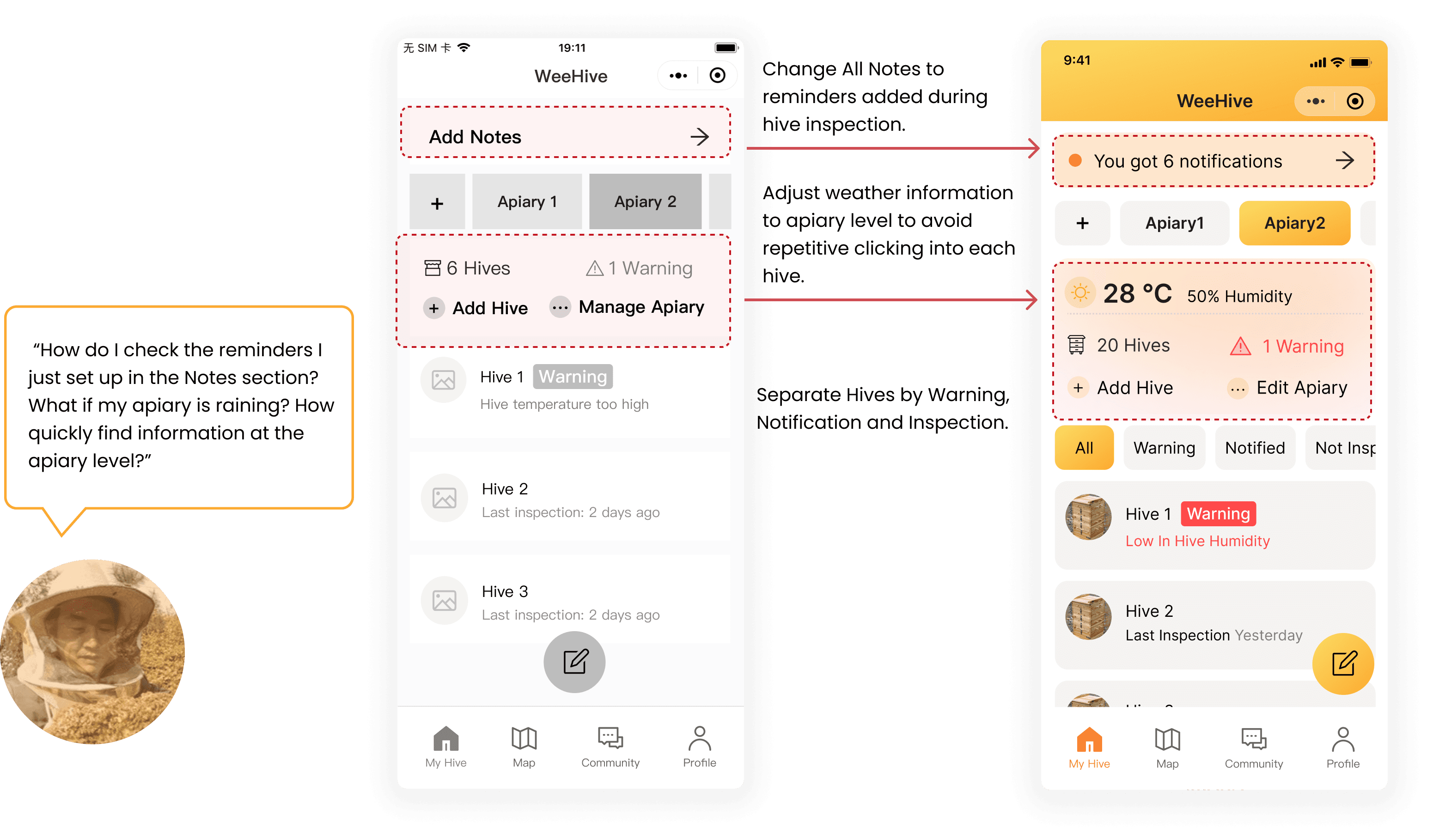
Information Structure Improvement: prioritize Apiary and Notified Hives
Beekeepers reported that they are interested in seeing apiary-level information first. They also expressed difficulties in quickly finding warnings and noted hives. To address their needs, I have added an apiary-level weather and management dashboard, as well as a hive filter.
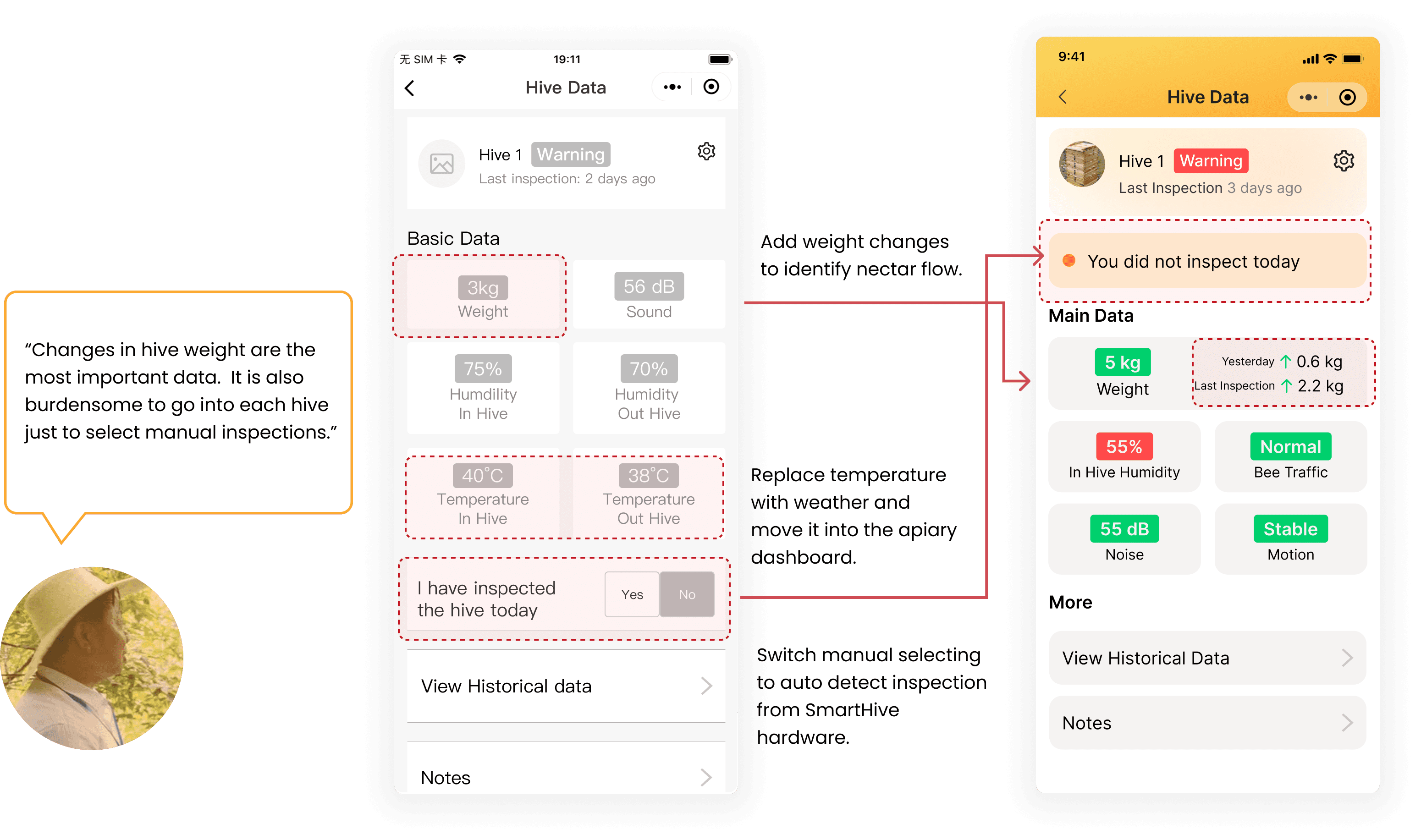
UX Content Improvement: Add meanings to data
Beekeepers also reported difficulties in understanding the best time to harvest honey based on weight data, as well as the inconvenience of manually selecting and inspecting each hive one at a time. To address this problem, I made two changes:
1. Changed manual inspection to auto-detection.
2. Added weight data change as a factor for decision-making.
Design For
Accessibility
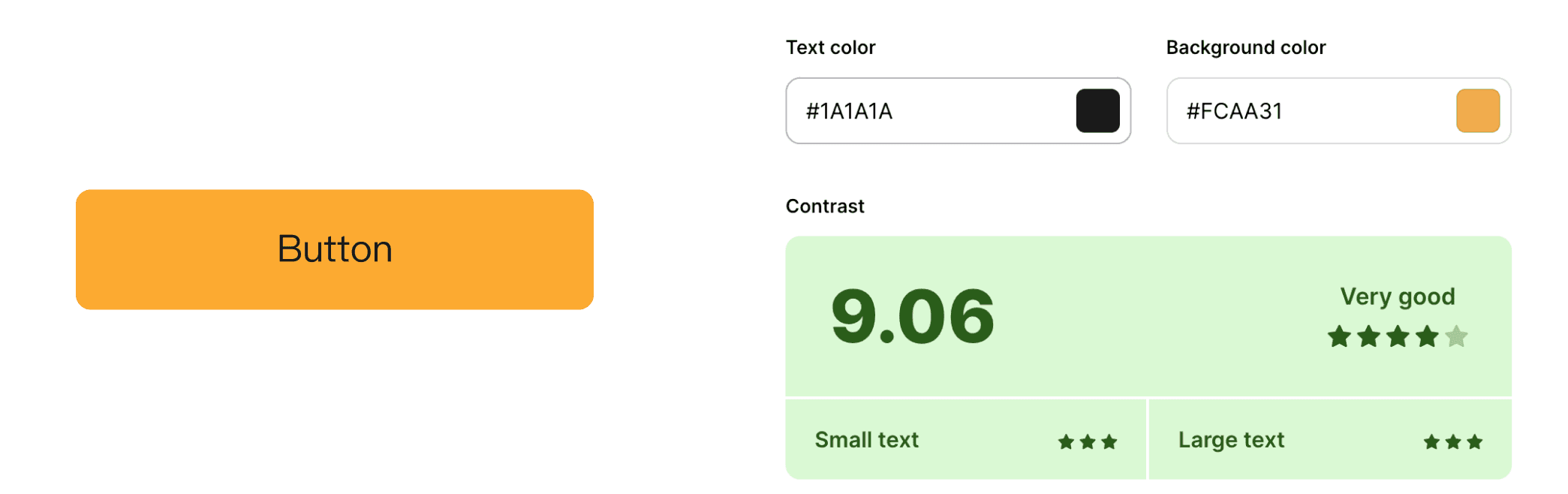
Contrast
Our branding color, orange, poses challenges in terms of usability. Therefore, we carefully consider font size and color throughout the design process, especially for our Beekeeping app's unique usage scenario. We prioritize using large text, starting from 16pt regular and above.
Touch target and button sizes (mobile)
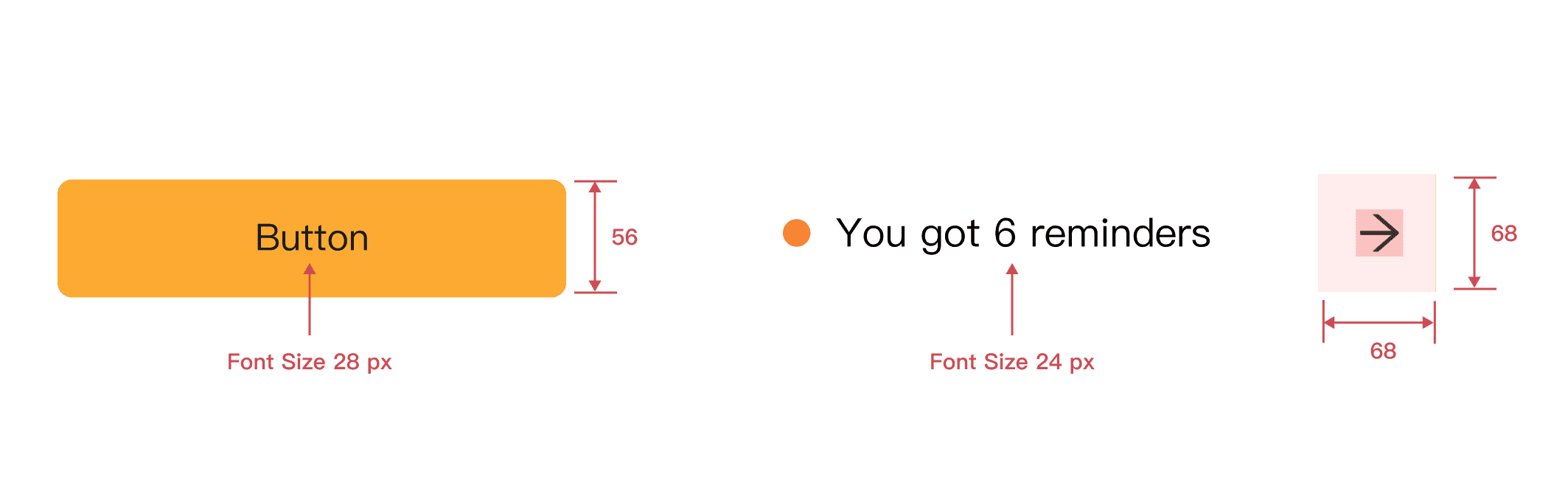
I make touch targets at least 48 x 48dp for users to get access to the functions more easily. (iOS recommends 44 x 44dp targets.) I also make our buttons have a height larger than 56px to avoid unintended activation.
Take Aways
Reach Out to the Product and Engineer Team Early
It is important to reach out to the engineering team and software team, and ask for limitations.
Don't boil down the ocean
we were tackling a very large problem that we couldn't ever totally understand in this timeframe. It is important to narrow down to the targeted problem spaces and user groups during the research phase. Finding the right scope at early stages can save more time for user testing later.